I’ve built and managed websites on Squarespace, Wix, Webflow, and WordPress.
And none have given me more headaches than WordPress.
Countless hours spent debugging caching issues, fixing pagespeed scores, and dealing with an Elementor page builder that made plug and play feel more like plug and pray 🙏
A website should feel like an asset, not a liability.
Let me put it plainly. WordPress is great if you want to build and manage your websites using a familiar tool that has a big, longstanding community, have access to templates that are easy to use, plugins for anything, and the comfort of knowing a huge share of the web made the same call.
In fact, almost 43.2% of all websites on the internet run on WordPress, but that market share is declining, slowly but surely.
Our own website has contributed to both statistics.
The problems we experienced with WordPress
For years, the website ran on WordPress with Elementor for page building.
And like so many other WordPress users, I was extremely frustrated with it.
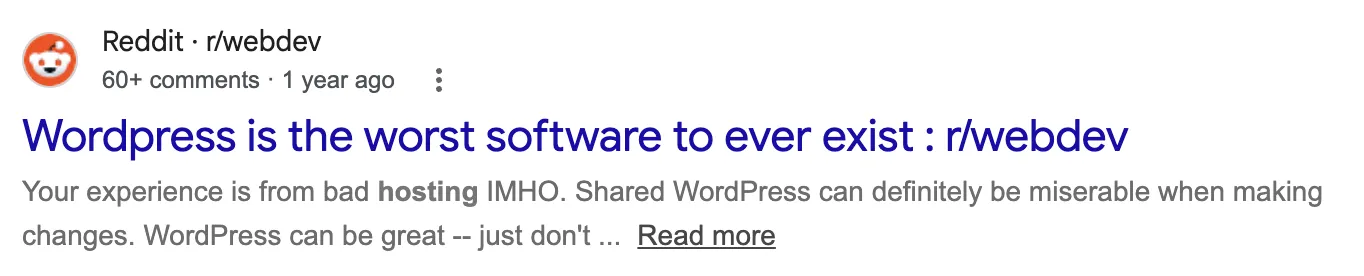
WordPress's community even encompasses people who hate it
Here were some of the problems that I encountered.
Caching issues that made any website update a coin flip
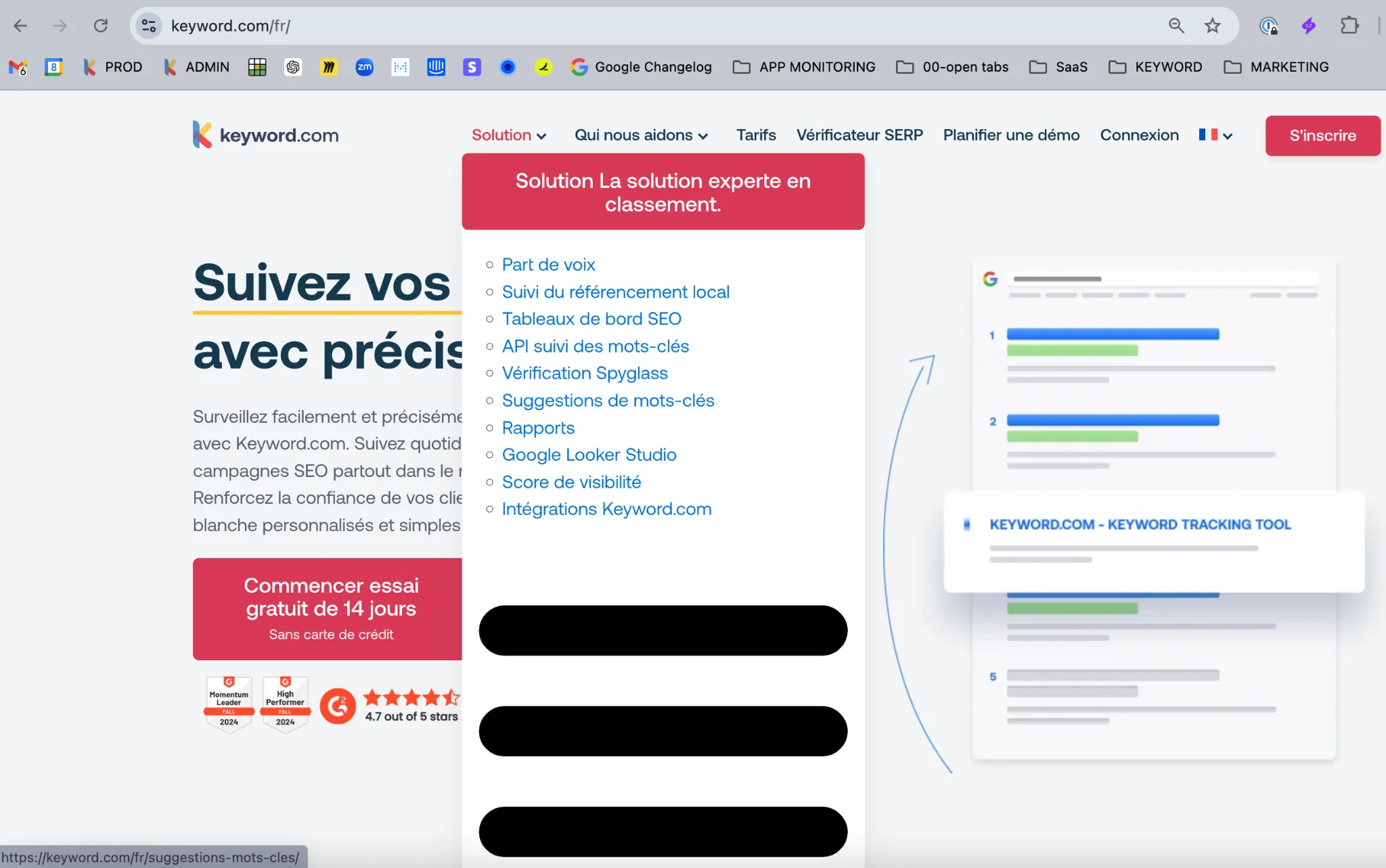
This was our French homepage, in production, after a routine update. The HTML shipped and the styles didn’t, so the mega-menu unrolled into a bare bulleted list with a red button on top and black bars below for anyone who happened to visit. Nothing was broken in the build. The cache just hadn’t caught up.
Every single update came with the same ritual: publish, purge the cache, hard-refresh, then click around to confirm the site still looked like a site. Miss a step and our visitors got to see this marvelous work of art.
It was really frustrating because sometimes you’d make an update to one part of the website, and if you didn’t clear the cache properly, another completely unrelated page might break.
Sometimes clearing the cache didn’t even do the trick — I also had to clear used CSS.
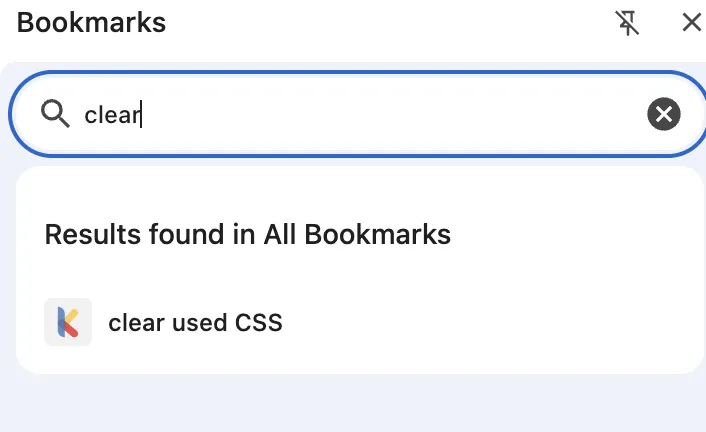
I even bookmarked the page
The reason this happens is that WordPress builds each page on demand rather than serving a finished file. To make that fast enough, caching saves a copy of the finished page and serves that instead. When you change something, the saved copy doesn’t always get replaced, so visitors keep getting the old version.
Long story short: several layers each keep their own copy of your site — the visitor’s browser, a caching plugin, your hosting, your CDN, and a database cache underneath all of it. When one of them doesn’t update, visitors get the old version: stale layouts, broken styles, or changes that never show up at all.
The official prevention tips I’ve read online are to either disable caching while editing or add a dedicated plugin like WP Rocket, which we did add but which never truly fixed the problem. A dedicated plugin might work, but that opens up a whole other can of worms. Let me explain.
Death by a thousand plugins
The WordPress plugin marketplace is massive.
There is a plugin for literally anything you can think about.
Want to add a contact form to your website? There’s a plugin for that. Want to monitor your site’s visibility in Google? There are tons of SEO plugins available. Want to create a backup of your website? You got it, there’s a plugin for that as well. The list of available plugins is endless.
As you work on your website you’ll likely start adding a bunch of different plugins to it. At first, you don’t think much about it. But over time, the costs start to show up.
Every plugin needs updating. The free one you installed two years ago now has a paid tier, and the feature you rely on is behind it. Another one gets acquired, and another is quietly abandoned — still installed and running, but no longer maintained by anyone. One plugin is in conflict with another. Multiply that by twenty and now part of your time is spent vetting and maintaining all those plugins on your website.
And then there’s the issue of security. To my surprise, a new WordPress vulnerability is disclosed every 46 minutes, and 91% of them are in plugins.

Individually, every one of those plugins was a good decision. Together they’re a maintenance job you never signed up for.
WordPress is slow
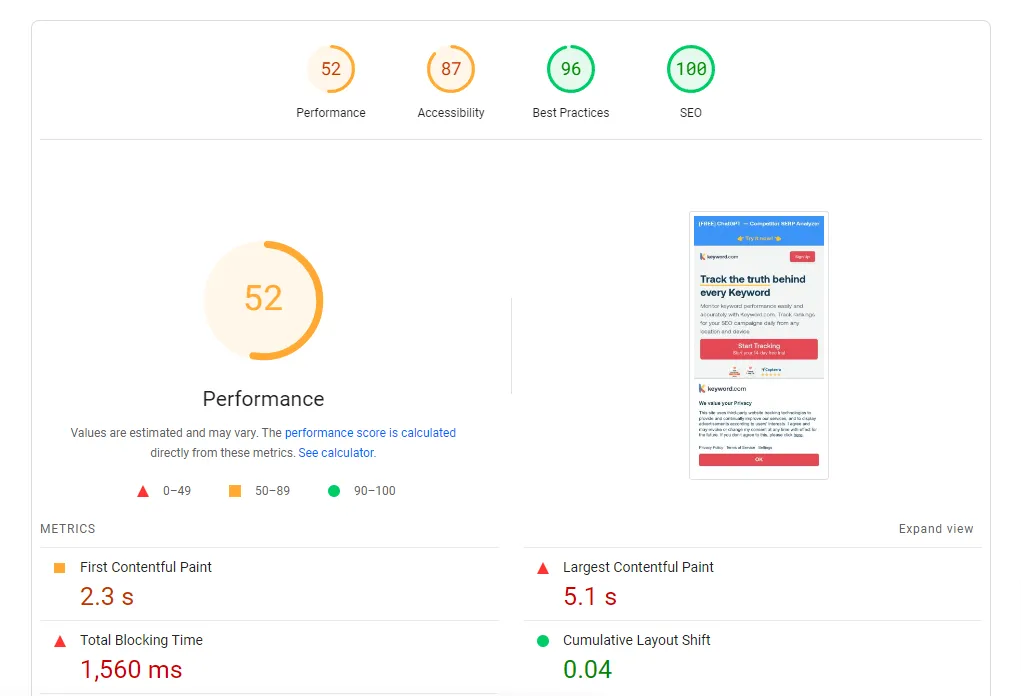
WordPress websites aren’t generally the best suited for performance — fewer than half of all WordPress websites have passing Core Web Vitals.
Between heavy themes, plugin bloat, dynamic PHP processing and heavy page builders like Elementor, there is a lot that is stacked against you.
This isn’t purely WordPress’s fault. But if you build your website with a theme, add a bunch of plugins and get used to working with Elementor, add a few heavy PNG images here and there (and have to add yet another plugin to convert those to WebP), you quickly start running into performance issues and will have a lot of trouble debugging where the issues are coming from.
Speaking from experience here: first you’ll start off by deactivating each plugin one-by-one and running a new pagespeed test to see if it changed anything, and eventually you might even hire one of thousands of WordPress developers on Upwork and pay up to $2,000 just to fix the issue. It was at that moment I decided to pull the plug on WordPress.
There are a lot of differing opinions on pagespeed. Here’s why I care about having a good pagespeed score, especially on mobile:
- Google mobile-first indexing means Google uses the mobile version of a website for indexing and ranking. A slow mobile webpage is a negative ranking factor.
- Countless studies show that speed affects conversions directly. With over half of the web traffic coming from mobile, your website better load quickly for that device.
- Fast load times prevent AI scrapers and retrieval-augmented generation crawlers from timing out. This improves AI search visibility.
WordPress is not AI-friendly
Like seemingly everyone in 2026, I’ve decided to incorporate AI as much as I can into all of my tasks.
This of course included the website.
First I used AI to create and refine copy for landing pages, then I used it more creatively to come up with interactive animations to spice up the website.
As I progressed with AI I wanted to do more with it — update content at scale, change layouts, run autonomous agents, translate pages into multiple languages. Very quickly I ran into a big blocker that made this whole process completely unscalable: everything had to be copied and pasted across by hand.
Say I wanted to add an animation to a page (like the one above). I would have to head over to Claude, who would write the code, then I would have to go back into Elementor, drag in an HTML block and paste the code.
Very laborious, and prone to error. If the CSS of the animation came into conflict with the page’s own styles, another element on the page, or the theme’s global stylesheet, it would render wrong or not at all.
In a world where marketers like myself are expected to do more with less, iterate faster, and most importantly integrate AI across all processes, WordPress became a real bottleneck.
Now I know that at the time of writing this post WordPress 7.0 has been released with a bunch of new AI features, which — kudos to them — is a great step in the right direction, and it might’ve convinced me to stick around a little longer if it had been released before our migration.
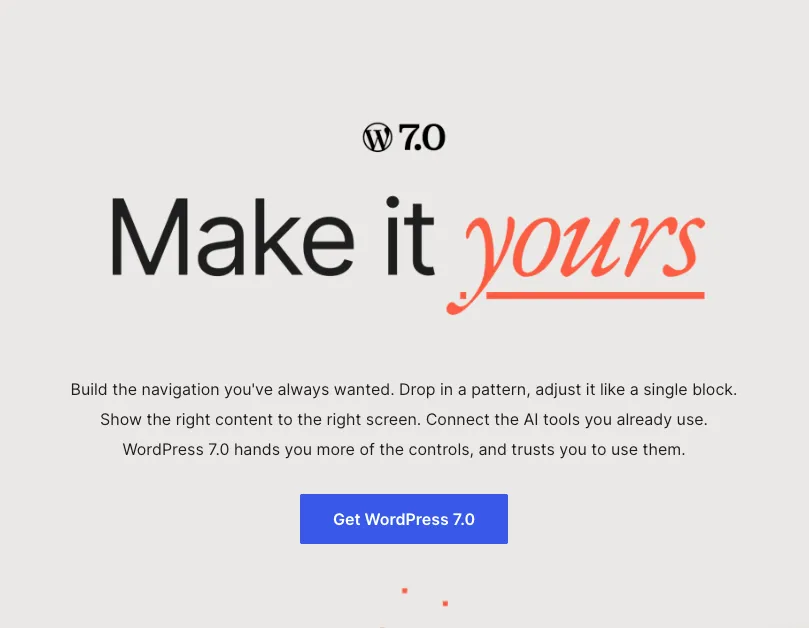
Though when you look at what was actually rolled out, it’s narrower than “WordPress is now AI friendly” suggests.
WordPress 7.0 adds an AI connectors page. You add your keys for Claude, Gemini or ChatGPT once, and any plugin that wants a model can use that connection. You were able to connect AI tools to individual plugins before, so the only real change is that it lives in one place now.
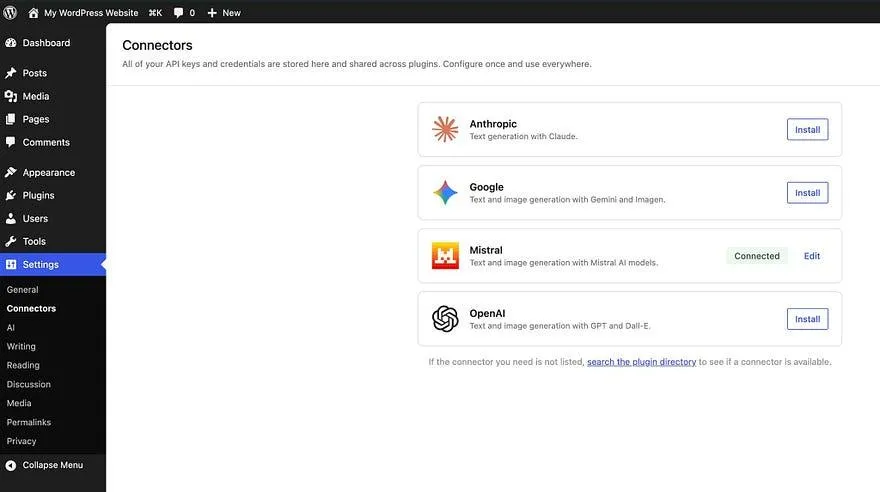
While that is an improvement, what it does not do is let AI work on your site.
What you’re essentially doing is calling one of a fixed set of named jobs the plugin has decided to publish, and these are called abilities. Think of them as a list of specific jobs that a plugin developer has decided to let an AI do.
The big problem for me is that every single ability is pre-defined for you. There’s nothing on there for “move the pricing section above the testimonials and tighten up the copy”, and there isn’t going to be, because that’s not the kind of instruction you can turn into a tidy little function with a fixed input and output.
The AI can only do the jobs someone else already built a button for. Your ceiling is set by what’s on their roadmap, not yours.
Yeah, I’m not quite convinced that this update is a game-changer.
So I pulled the plug on WordPress
After years of working with WordPress, I decided to migrate our entire website over to Astro, a modern web framework that hit the nail on all of our requirements:
- No cache to manage
- No plugins to maintain
- Fast by default
- Connects with my AI tools easily
- Bonus point: completely free to use
The migration took 10 days to complete and the results were nothing short of transformative.
Same website, better performance
Fast by default
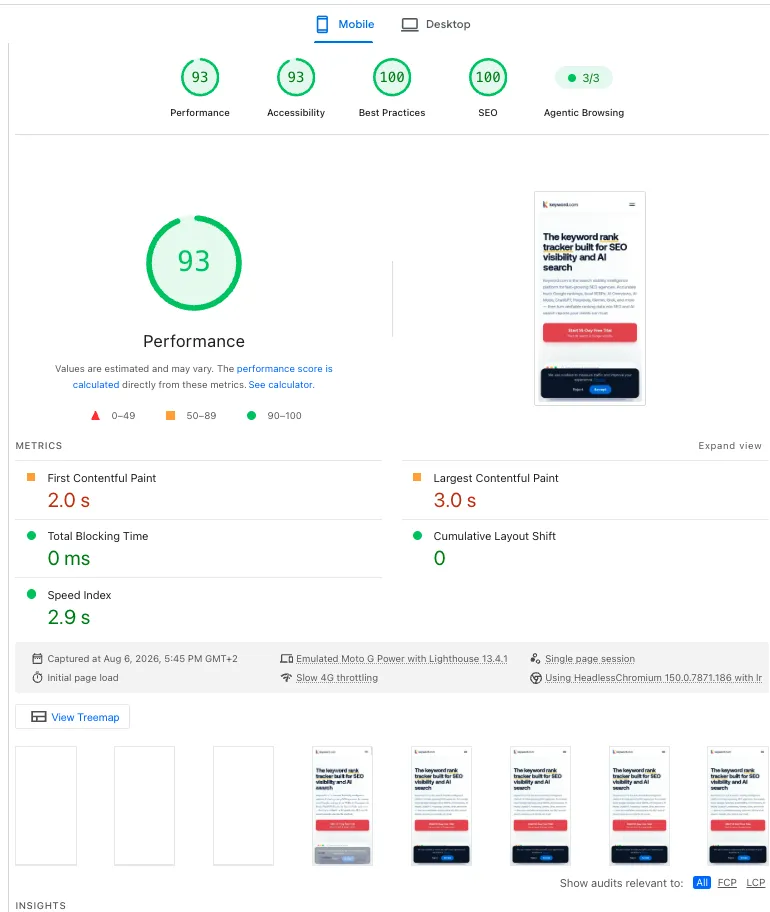
First and foremost, our pagespeed score improved dramatically.
The reason is simple: there’s no PHP running, no database to query, and almost no JavaScript.
This of course improves pagespeed dramatically, but that doesn’t necessarily mean you’ll have perfect scores with Astro. There’s still some level of work involved in optimizing images and fonts, and if you load scripts — analytics, Intercom chat widgets, consent banners — you’ll slow down your website.
It is a constant work-in-progress, but at least by default it is faster now and debugging is far easier.
No plugins to maintain
Instead of using Rank Math to write our meta description, we just store it in the post file itself.

WP Rocket is no longer needed because there’s no cache to manage.
And when we do need something specific, like a form for example, we can either build it ourselves on top of an API or from scratch. And this is far easier than it sounds, because AI does the building. Claude Code can see the whole project, so I describe what I want and it writes it straight into the site. No HTML block, and certainly no copy-paste.
AI can actually work on it
This is the part that changed most for me.
The whole site is files in a Git repo, so Claude Code opens all of it and can see how a page is built and change anything about it.
So instead of asking for code and pasting it into an HTML block, I describe what I want and it edits the site: Move the pricing section above the testimonials. Rewrite the meta description for this post. Translate this page into French and add hreflang.
For some operations, I can move 100x faster than before.

Editing the site by describing the change
Any skill or agent that I connect to the website has access to the whole site and can run its own processes. That’s a double-edged sword, because things can break if you let AI go wild, but I’d rather hold the handbrake myself than have someone else decide what I’m allowed to do.
In any case, every change is a commit. I get a preview link before anything goes live, and if I don’t like it, one command reverts the changes. Everything is completely traceable and I can go back to any version of the site.
It’s essentially the perfect setup for lean marketing teams who want to iterate quickly and without headache on their website.
How to migrate your WordPress website to Astro
While the migration took 10 days to complete, it wasn’t necessarily the easiest process.
The short version: we exported all the content, assets, metadata, internal links, redirects and structured data, did the migration via Claude and ran many diff checks to ensure that nothing got lost in the migration and that nothing changed, except for visual improvements.
We then set the site up in GitHub, deployed it through Cloudflare, and put all of the guardrails in place.
I was lucky on two counts. First, I’ve worked in SEO for years, so I knew exactly what had to be done for the migration to be successful. And second, I had Artem, a senior developer, walk me through the parts that I didn’t know.
With enough determination and know-how, anyone can migrate their WordPress website to Astro, but it can be difficult.
Which is exactly why together with Artem we launched Ditchplugins.
We move your site off WordPress to Astro and teach you how to run it yourself with AI.
And as part of our launch offer, we’re offering the first two migrations for free.